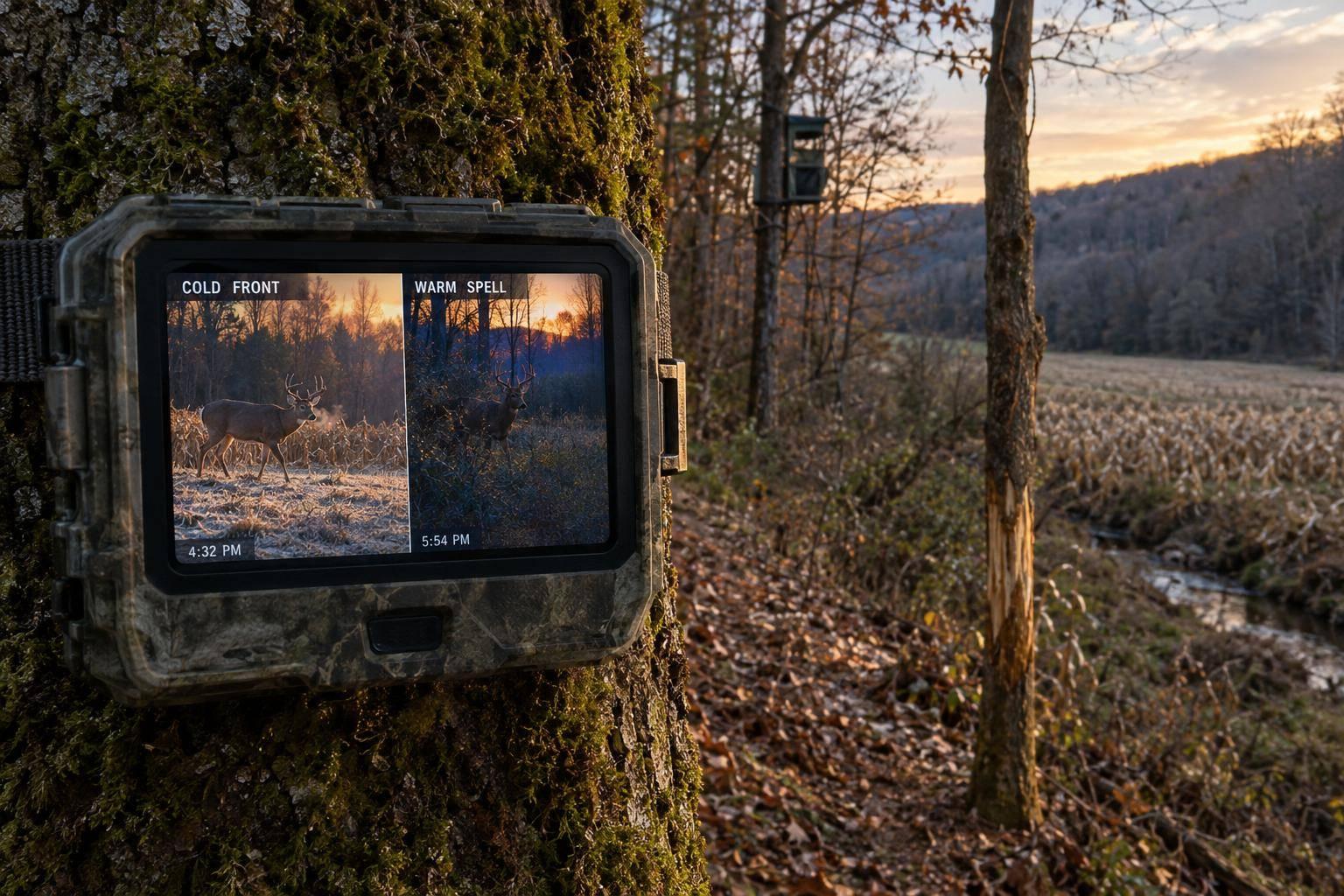
Post-season is the ideal time to assess the bucks on your property. After the hunting season, deer settle into predictable routines, focusing on food sources to recover. Setting up trail cameras now can help you:
- Confirm which bucks survived the season.
- Identify their feeding and travel patterns.
- Monitor herd health, antler shedding, and body conditions.
Strategic camera placement near food sources, travel corridors, and bedding areas is key. Use one camera per 100 acres for 10–14 days to gather reliable data. Minimize human disturbance by using accessible paths and cellular cameras. Proper camera settings, like high-resolution photo mode and appropriate trigger delays, ensure you collect useful images.
Organize your photos with a clear filing system and track buck patterns over time. Tools like heat maps or spreadsheets can simplify data analysis, helping you differentiate resident bucks from roamers. This groundwork sets you up for a successful hunting season next year.
TOP POST-SEASON Trail Camera Tactics with Josh Honeycutt
Where to Place Trail Cameras for Maximum Coverage
Placing trail cameras strategically can transform guesswork into actionable insights. By focusing on areas where deer naturally gather or travel, you can gather essential data without blanketing your entire property with cameras. Here’s how to pinpoint key areas – like feeding zones and travel corridors – to get the most out of your trail cameras.
Setting Up Cameras Near Feeding Areas
Post-rut, bucks prioritize high-energy food sources to recover. To capture their activity, position cameras at field edges, corners, or crop transitions – like where corn meets soybeans. Trail camera expert Ted Marum shares:
In summer, I like to put them where there’s a couple of different crops that come together, like corn and soybeans or corn and alfalfa, on a corner. Bucks love to walk the edges of those corners.
As winter sets in, shift your focus to areas with standing corn, brassicas, or oak flats where acorns linger. When allowed, mineral sites or supplemental feed can also help centralize deer activity. To avoid sun glare ruining your images, always aim your cameras north or south.
Watching Travel Corridors and Funnels
Once you’ve covered feeding areas, turn your attention to natural travel routes that deer frequently use. These include saddles, ridgelines, creek crossings, and fence gaps. Virginia land specialist Dillon Pierson explains:
One of my favorite trail camera placement locations is on a ridgeline in a low gap or saddle. These areas typically have a main trail running along the ridge and trails coming up and down both sides of the saddle.
For better coverage, angle your camera at 45° to the trail. Mount it 6–7 feet high and angle it downward to stay out of the direct line of sight of deer.
Reducing Human Disturbance
Deer are highly sensitive to human presence, so minimizing disturbance is crucial. Jeremy Allen, a West Virginia land specialist, offers this advice:
I also like to hang trail cameras along a logging road that can be easily accessed and traveled along my entry and exit points, allowing a scent-free and fast approach to check cameras without disturbing the deer.
Stick to existing paths like logging roads, creek bottoms, or field edges when maintaining cameras. Cellular cameras are especially useful in high-priority locations, as they let you monitor activity without frequent visits. Tre Kerns, another West Virginia specialist, emphasizes:
Don’t approach or walk through areas you don’t want to disturb. It doesn’t benefit me to deploy a trail camera if I’m bumping all of the deer out of that area.
When checking cameras, plan your visits for times when the wind is in your favor, and use lithium batteries to extend camera life by 4–5 times. Limiting human scent and activity helps maintain an accurate picture of deer movement in your area.
How to Set Up Trail Cameras for Better Data
Dialing in your camera settings can mean the difference between gathering useful insights and wasting time. The aim? Capturing sharp, clear images that help you identify individual bucks and track their habits – without clogging up your SD card with irrelevant shots.
Once you’ve nailed down the placement, tweaking your camera settings is the next step to ensure you collect reliable data.
Photo vs. Video Mode
Choosing between photo and video mode depends on what you need and how long you plan to leave your camera out. Video mode offers multiple angles and captures behavioral details, making it easier to identify antlers and score bucks. Weston Schrank from BuckScore highlights its advantages:
Video is far more advantageous for not only a hunting perspective, but an inventory and scoring perspective as well.
That said, video mode eats through batteries and storage faster than photo mode. For long-term setups, especially with cellular cameras, high-resolution photo mode is often the better choice. Just make sure to select the highest resolution so you can zoom in on antler details when reviewing your images.
Date, Time, and Trigger Settings
Getting the date and time settings right is crucial. These timestamps allow you to link buck movement to weather patterns and differentiate between similar-looking bucks that appear at different times.
When setting the trigger delay, consider your camera’s location:
- Food sources or bait sites: Use a delay of 5 to 10 minutes to avoid filling your SD card with duplicate images of the same deer during one feeding session.
- Travel corridors: Opt for a shorter delay, such as 1 minute, to capture deer that move quickly through the area.
Battery Life and Storage Management
Cold weather, especially post-season, can drain your batteries faster than you’d expect. Scott Bestul, Whitetail Deer Editor at Field & Stream, advises:
Cough up a bit extra for lithium batteries, like Energizer Ultimate Lithium, which will simply last longer and power your cameras better and more efficiently.
For cellular cameras or spots with heavy deer traffic, consider pairing your camera with a solar panel or an external 12-volt battery to reduce the need for frequent battery changes.
Maximize storage by using the largest SD card your camera supports, and always format the card inside the camera before deployment to avoid file corruption. To protect your gear, place a desiccant pack inside the camera housing to absorb moisture. These small precautions can save you from losing weeks’ worth of data due to hardware issues.
Reading Trail Camera Data to Find Buck Patterns
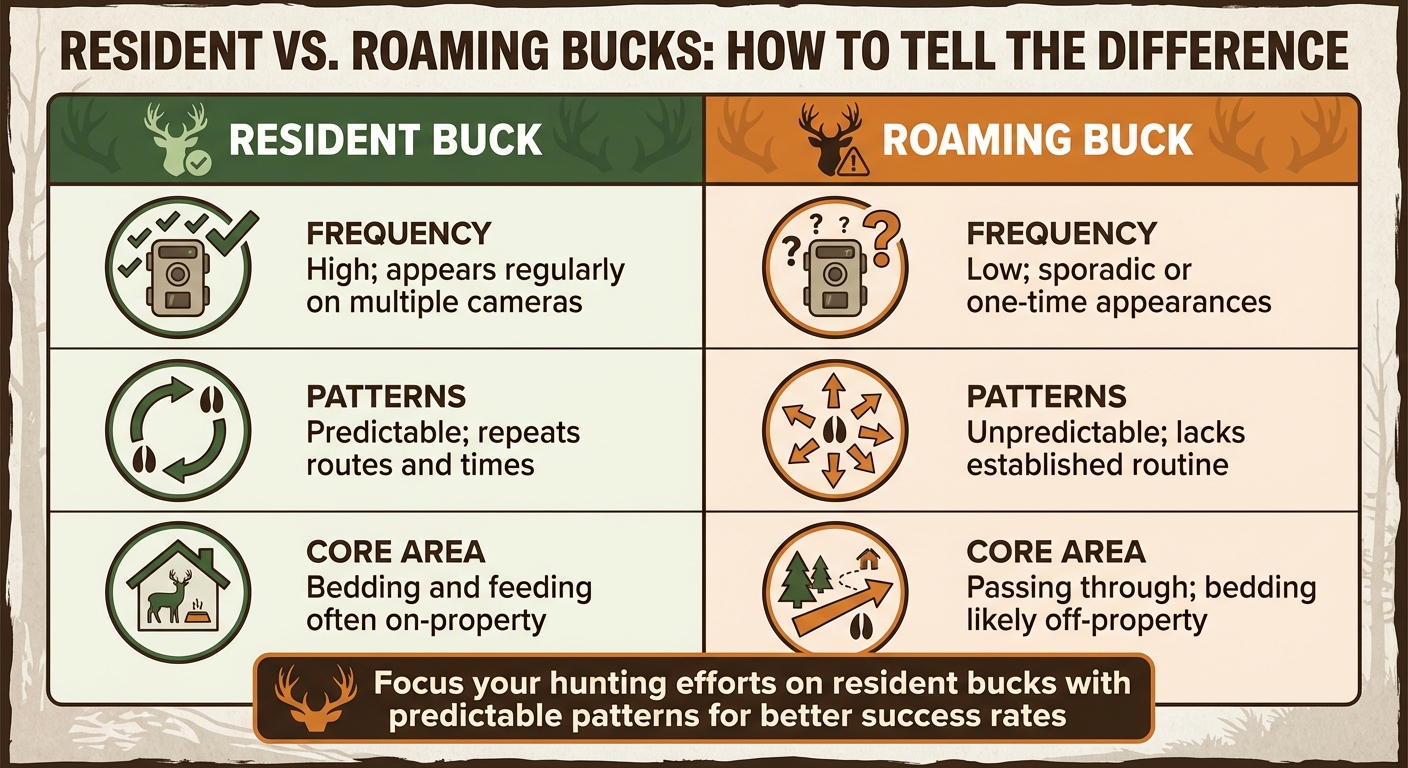
Resident vs Roaming Buck Identification Guide for Trail Camera Analysis
Having thousands of trail camera photos is great, but the real value lies in analyzing those images to uncover patterns in buck behavior. This analysis helps you figure out which bucks call your property home and when they’re most likely to be vulnerable to hunting pressure.
Tracking When and How Often Bucks Appear
One of the most important clues in your trail camera photos is the timestamp. By checking the time of day bucks appear, you can get a sense of their bedding locations. For example, if a buck shows up consistently in the late afternoon or early evening, it’s likely bedding nearby. On the other hand, if it only appears after dark, it’s probably bedding farther away. Jeremy Allen, a West Virginia Land Specialist, explains:
Using the photo’s time stamp will generally give you an idea of how far the bedding area is away and help narrow your search.
It’s also helpful to record weather conditions – like temperature, wind, and pressure – on days when bucks are active. Sudden weather changes often trigger movement. Over time, you’ll notice annual patterns, as bucks tend to return to the same spots around the same time each year. Reviewing old photos can help you predict when a specific buck might reappear under similar conditions.
By analyzing timing and weather, you can start to differentiate between bucks that are residents on your property and those that are just passing through.
Identifying Resident vs. Roaming Bucks
The key to a successful hunt is focusing on resident bucks – those that appear regularly and follow predictable patterns. Unlike roaming bucks, which show up sporadically, resident bucks provide enough data to plan your strategy. Clint Campbell, Podcast Host and Author, shares his approach:
I also filter out any fall photos of bucks that only appear minimally. There just isn’t enough context from a few summer or fall photos to give me confidence I can successfully hunt any of those deer.
To tell the difference, pay attention to how often a buck appears and the direction it travels. If a buck consistently enters and exits your camera’s view heading toward known bedding areas on your property, it’s likely a resident. But if it only shows up occasionally without a clear pattern, it’s probably a roamer.
Here’s a quick comparison to clarify the distinctions:
| Feature | Resident Buck | Roaming Buck |
|---|---|---|
| Frequency | High; appears regularly on multiple cameras | Low; sporadic or one-time appearances |
| Patterns | Predictable; repeats routes and times | Unpredictable; lacks established routine |
| Core Area | Bedding and feeding often on-property | Passing through; bedding likely off-property |
By understanding these differences, you can focus your efforts on bucks that are more likely to offer hunting opportunities.
Using Behavior Data for Future Hunts
Once you’ve identified a resident buck’s patterns, you can use that information to set up ambush points. For example, if a buck consistently moves through a specific funnel or corridor at a certain time, you’ve found a prime spot for the next season.
Start by identifying late-season food sources, such as standing corn or brassicas, and place cameras nearby. Then, work backward toward bedding areas to locate travel corridors. Mark Kenyon, Author, highlights the value of this approach:
Even if your cameras aren’t showing daylight photos of a big buck, simply knowing which food source currently has the deer is a huge clue you can use to focus your efforts.
To take it a step further, use software to create heat maps from your trail camera data. These maps can visually highlight core areas, bedding spots, and travel routes, making it easier to choose stand locations that align with a buck’s habits. The more data you collect on a specific buck over time, the better your chances of successfully harvesting it in the future.
How to Organize Your Buck Inventory
Taking thousands of trail camera photos is just the beginning. Without a proper system in place, you could spend countless hours sifting through images instead of focusing on your next hunt. The solution? A streamlined organization method that helps you quickly locate and compare photos across multiple seasons.
Creating a Filing System
Start by labeling each trail camera and SD card with a permanent marker. This small but essential step prevents confusion when managing multiple cameras spread across your property. For your digital files, organize them by property, year, and buck ID. Within each year, create folders for each camera station, and then consolidate photos of target bucks into a centralized "Buck" folder. This setup makes side-by-side comparisons a breeze.
A standardized file-naming system is a game-changer. Lindsay Thomas Jr., Chief Communications Officer at the National Deer Association, suggests using a format like this: Location_BuckID_Sequence_AntlerCode_TotalPoints (e.g., F1A_5Rx4L_9.JPG for Farm, Buck #1, first photo, 5 points right/4 points left, 9-pointer). Thomas explains:
If you see what you think is a new buck, count his head gear to determine his antler code… simply do a search for ‘3Rx4L’ in your unique buck folder, and all the 7-pointers with that antler conformation will be sorted out.
Pair this naming system with a spreadsheet for tracking additional details like temperature, wind direction, barometric pressure, and moon phase. With everything organized, monitoring individual bucks becomes much easier.
Tracking Buck Growth Over Time
An organized inventory pays off when bucks return year after year. When you spot a familiar buck, import a reference photo from the previous season into the current year’s folder. Rename it using the current year’s ID while including the original year (e.g., F17_2015.JPG). This allows for quick comparisons of antler growth over time. Tracking these changes helps you determine which bucks have reached your desired maturity – whether that’s 3.5 or 4.5 years old.
Mature bucks often stick to predictable annual patterns, returning to the same areas around the same time each year. By maintaining a multi-year photo archive, you can identify these patterns and plan your hunts accordingly. Look for distinctive antler features (like forked G-2s or unique brow tines) or body markings (such as scars or double throat patches) to confirm you’re observing the same buck.
Using Software to Manage Data
While a manual system works well, software can make managing large volumes of data even easier. If you’re dealing with thousands of images weekly, trail camera management software can save you hours. DeerLab is one popular option. It automatically syncs weather data – like wind, temperature, and pressure – from the nearest station to the timestamp on your photos. It even generates "Heat Maps" to show where specific bucks are most active, cutting out tedious manual data entry.
Mark Kenyon, Founder of Wired To Hunt, highlights the importance of staying organized:
If you ever want to use your pictures for more than just showboating, you need to store and organize them in such a way that you can access and study them in the future.
Choose a system you’ll stick with. If you’re curious, DeerLab offers a 14-day free trial to test its features before committing.
Lastly, establish clear rules for what qualifies as a "point" (e.g., the 1-inch Boone & Crockett standard) to keep your antler codes consistent across seasons. This consistency makes it far easier to track individual bucks as they grow and mature.
Conclusion
Your post-season camera strategy lays the groundwork for better buck management. Using trail cameras after the hunting season is the most reliable way to confirm which bucks made it through and to spot any new arrivals. The information you gather now – whether from late-season food plots, travel routes, or bedding zones – acts as a roadmap for predicting where these bucks will likely be around the same time next year. Bucks are creatures of habit, often repeating their routines, which makes your collected data a valuable tool for forecasting their future movements.
Running a 10- to 14-day camera survey, with one camera per 100 acres, provides accurate insights into herd health, buck-to-doe ratios, and individual deer development. High-quality images and well-organized data tracking can reveal key details about buck characteristics and movement patterns, giving you the edge you need for planning your next hunt.
Preparation now leads to success on opening day. As Steve Flores, a seasoned hunting expert, puts it:
Armed with new intelligence, you will be a step ahead when the gate drops. Most often, that is all it takes to have a deer season to remember.
Start building your buck inventory today. The patterns you document now will pave the way for a successful season next year.
FAQs
How can I reduce human disturbance when setting up trail cameras?
To reduce human disturbance while setting up trail cameras, it’s essential to make the camera blend seamlessly into the surroundings and limit your presence in the area. Look for a spot that naturally hides the camera, like a tree with rugged bark or a branch hanging low. Use clean gloves when handling the camera to avoid leaving any scent behind, and position it at a height and angle that matches deer movement patterns while keeping it out of their direct line of sight.
Plan to install or adjust cameras during times when deer are less active, such as early morning or late evening. Minimize how often you check the cameras, and when retrieving images, try to do so remotely or from a distance to avoid unnecessary visits. These practices help ensure deer remain unaware of activity in the area, allowing you to gather accurate and reliable data for your post-season inventory.
What are the best settings for trail cameras to capture clear photos of bucks?
To get crisp and detailed photos of bucks, start by setting your camera to its highest resolution. A fast trigger speed – ideally under 0.5 seconds – will help you capture movement without missing the action. For nighttime shots, adjust the flash mode to low-glow or no-glow infrared, as these options work best without startling the deer. Also, set the motion sensitivity high enough to pick up movement from bucks while avoiding false triggers caused by wind or smaller animals.
Place your camera at deer height and angle it slightly downward for the best perspective. Position it in high-traffic areas like trails, scrapes, or feeding spots where bucks are most likely to pass through. Regularly test and check your camera settings to ensure they’re optimized for the specific location and conditions.
How can I tell the difference between resident and roaming bucks using trail camera photos?
To tell the difference between resident bucks and roaming bucks, pay attention to how often and where they show up in your trail camera photos. Resident bucks are creatures of habit. They tend to appear on the same cameras repeatedly over weeks or even months, often at similar times of day. Look for distinctive features like the shape of their antlers, scars, or ear notches to identify them. Their movements usually revolve around key areas such as feeding spots, bedding zones, or travel paths, creating a clear and consistent pattern.
Roaming bucks, however, are far less predictable. These bucks might only show up once or twice, often on cameras near the edges of your property or along game trails. Their appearances are scattered and don’t follow the same repeated behaviors or concentrated locations as resident bucks.
To get a better understanding of these patterns, keep a detailed log of every sighting. Record information like the date, time, camera location, and any identifying traits of the buck. Group photos of individual bucks together and track how often they appear. If a buck is frequently spotted in a specific area, it’s likely a resident. In contrast, occasional, scattered sightings usually point to a roaming buck. By organizing this data, you’ll have a solid inventory of the bucks on your property, making it easier to fine-tune your hunting strategy.